
Smart Ring Sizing: A 24-Hour Fit Check for Oura Ring 4
Use the Oura Ring 4 sizing kit, test a size for 24 hours, compare fingers and check exchange terms before choosing your smart ring size.
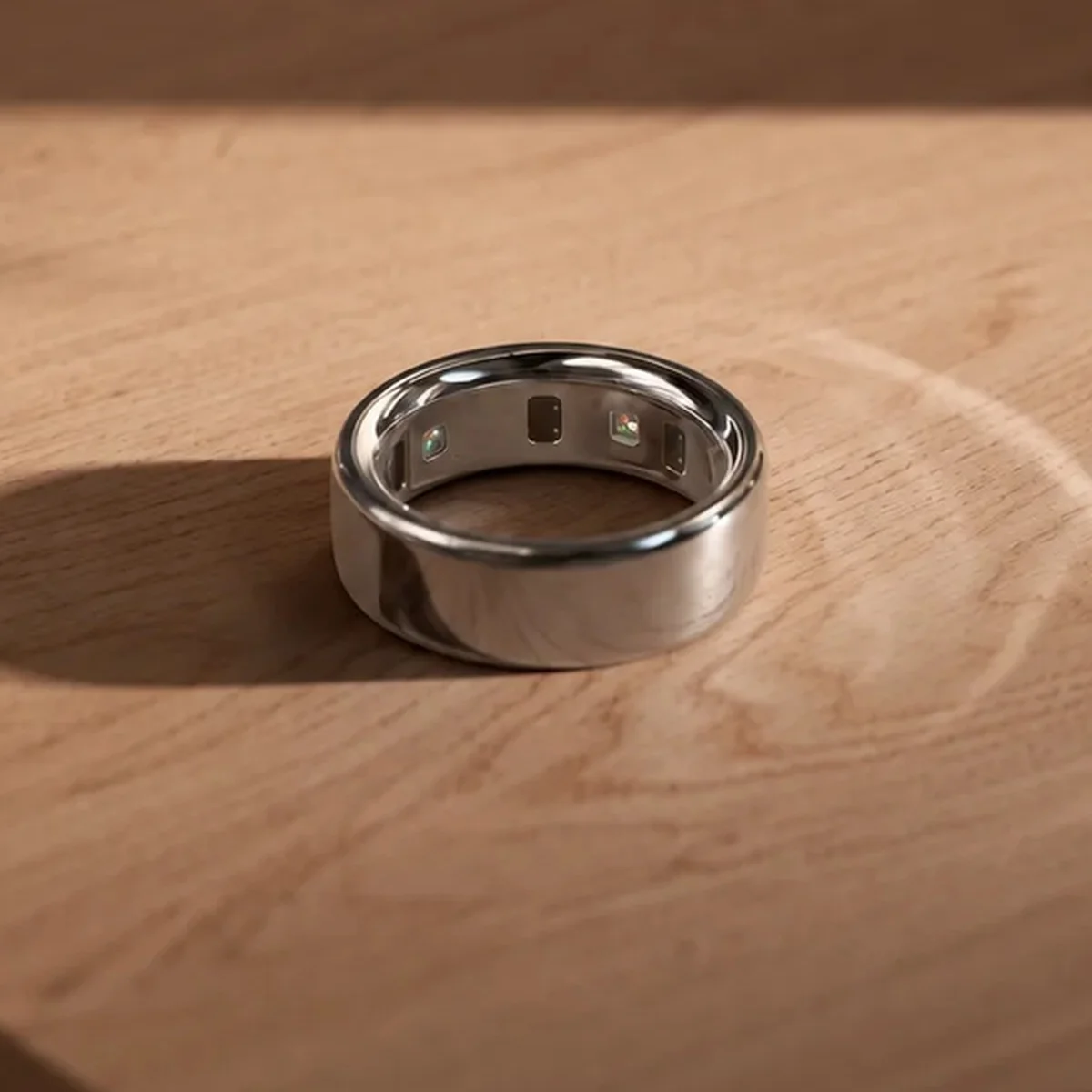
A smart ring can feel right when you first put it on and feel different the next morning. That is why choosing a size from a jewelry box, a one-minute try-on, or an online conversion chart is a poor shortcut. For Oura Ring 4, the useful test is a model-specific sizing ring worn through an ordinary day and night.
This guide explains how to use the Oura Ring 4 sizing kit, which finger to try, what a secure fit feels like, and what to check before confirming an order. It draws on Oura's published instructions. It is a buying checklist, not a hands-on accuracy test or a substitute for the maker's current sizing and return policies.
Use the sizing kit for the ring you plan to buy
Oura Ring 4 comes in whole sizes 4 through 15. Oura says its sizes differ slightly from standard US ring sizes, and it does not offer half sizes. A regular size 8 ring, a paper strip, or a generic smart ring size chart therefore cannot confirm that you need an Oura size 8. Oura's sizing guide recommends testing its plastic sizers even if you already know your usual jewelry size.
Check the generation printed on the kit box. Oura says its generations use slightly different sizing. The Ring 4 kit has sizes 4–15; the Ring 5 kit has sizes 6–13. Having a kit from a friend is useful only if it is for the model you intend to order. Oura says the plastic sizer and finished ring have the same width and circumference, while their material, weight and feel differ.
If you order directly from Oura and do not know your size, the company's “Size Later” choice includes a sizing kit with the ring purchase. Some authorized retailers sell kits separately and apply a credit toward a later ring purchase from that retailer. Check the seller's current terms before buying a kit elsewhere; a credit from one store is not a universal discount.
Pick a finger before picking a number
Oura says the index finger is its preferred starting point for signal quality. A middle or ring finger can also work. Try the sizers on both hands rather than assuming your usual ring finger is the only option. Pay attention to a finger with a knuckle much wider than its base: a sizer that barely passes the knuckle may still sit loosely where the sensors need contact.
Put the sizer at the base of the finger you actually expect to wear the device on. It should stay in place without feeling tight. Make a fist. Oura suggests trying a smaller size if a gap opens between the ring and the top of your finger. The finished Ring 4 should be worn with its sensors against the palm side of the finger, so a fit that repeatedly shifts away from that position deserves another look.
The goal is secure contact and ordinary comfort together. A ring that spins freely, slides off easily or leaves a visible gap is a weak candidate. A sizer that becomes uncomfortably tight, cannot be removed normally or makes you dread wearing it through the night is also a weak candidate. Try another size or finger rather than treating either problem as something you must accept for the data.
Give each promising size a full day and a night
Oura recommends wearing the sizing ring for at least 24 hours, including sleep, because finger size changes over the day and night. A quick store try-on can help narrow the choices; it does not replace that longer check.
Wear one promising size while you do your usual daytime tasks, then keep it on overnight. Notice whether it remains secure when your hands are relaxed, whether it is comfortable when you make a fist, and whether you can remove it without a struggle. Check again after waking. If you are deciding between two fingers or two sizes, repeat the same routine with the other candidate instead of judging one at midday and the other at bedtime.
Write down the finger, hand and size that worked. That small note matters when you later select a number at checkout. It also gives you a second finger to consider if the first choice changes fit over time, provided the ring remains snug on the alternative finger.
What if you are between two Oura sizes?
Oura recommends the smaller size when two sizes are otherwise suitable. Its reason is sensor contact: a snug ring keeps the sensors against the skin, particularly on the underside of the finger. Oura also notes that a plastic sizer can feel stickier than the finished ring.
That recommendation still needs the 24-hour comfort test. If the smaller sizer is uncomfortable after sleep or difficult to remove, it has not passed simply because the number is smaller. Try the other hand or an adjacent finger, then recheck the fit. If neither available size works comfortably, Oura Member Care is a better next step than guessing. There is no reliable half-size conversion to solve that problem for you.
Confirm the size and check the exchange path
If you chose “Size Later” in Oura's online store, receiving the kit does not automatically release the finished ring for shipping. After the test, confirm your size through My Orders. If you bought a kit from an authorized retailer, follow that retailer's purchase process for the ring. A gift, employer program or different sales channel may have its own confirmation steps.
Read the return and exchange terms for the seller and country on your receipt before you finalize a size. Oura's direct-purchase guidance says a size exchange is for the same ring model and color; changing model or color is a return and new order. Oura also says it permits one return or exchange per item. Retail purchases follow the retailer's policy, which may differ. Availability of self-service exchanges varies by country, so do not assume a later swap will be as simple as choosing another size online.
If the finished ring still feels too loose or too tight after using the kit, contact the seller or Oura's support team promptly and check the current exchange route. The plastic trial improves the decision; it cannot reproduce the finished ring's exact feel.
The fit check before you order
- Confirm that the kit is labeled for Oura Ring 4, not another generation.
- Try both hands and at least one suitable alternative finger.
- Choose a snug sizer that stays at the finger base without pressure or a fist-gap.
- Wear the candidate for at least 24 hours, including sleep.
- If between sizes, test Oura's smaller-size recommendation against actual comfort.
- Record the chosen finger and kit size, then confirm that exact size with the seller.
- Read the current return and exchange terms for your purchase channel.
The Oura Ring 4 product page on AI Vitamin brings together the listed device details and manufacturer link. For other devices that track sleep and activity, browse our health and fitness wearables category. Those pages help you compare products; the maker's current sizing instructions remain the authority for the ring you order.
Common sizing questions
Can I use my normal ring size for Oura Ring 4?
Use it only as a rough starting guess. Oura says its sizes differ from standard US ring sizes and offers no half sizes. Try the Ring 4-specific sizers before confirming a number.
Should I size an Oura Ring 4 for my index or ring finger?
Start with the index finger because Oura recommends it for the best signal. A middle or ring finger can also work. The finger that stays comfortable and keeps a snug fit through your full-day test is more useful than a finger chosen by habit alone.
Is sleeping in the sizing ring necessary?
Yes, for Oura's recommended test. Its guidance calls for at least 24 hours with the sizer, including sleep, so you can notice changes that a short try-on misses.
What if the ring that arrives does not fit?
Check the return or exchange rules for the seller you used and contact them or Oura support. Oura's direct-order process and a retailer's process are not interchangeable.