
Smart Speaker vs Smart Display by Room and Task
Compare smart speakers and smart displays for kitchen timers, music, doorbell feeds, video calls and privacy before choosing a device for each room.
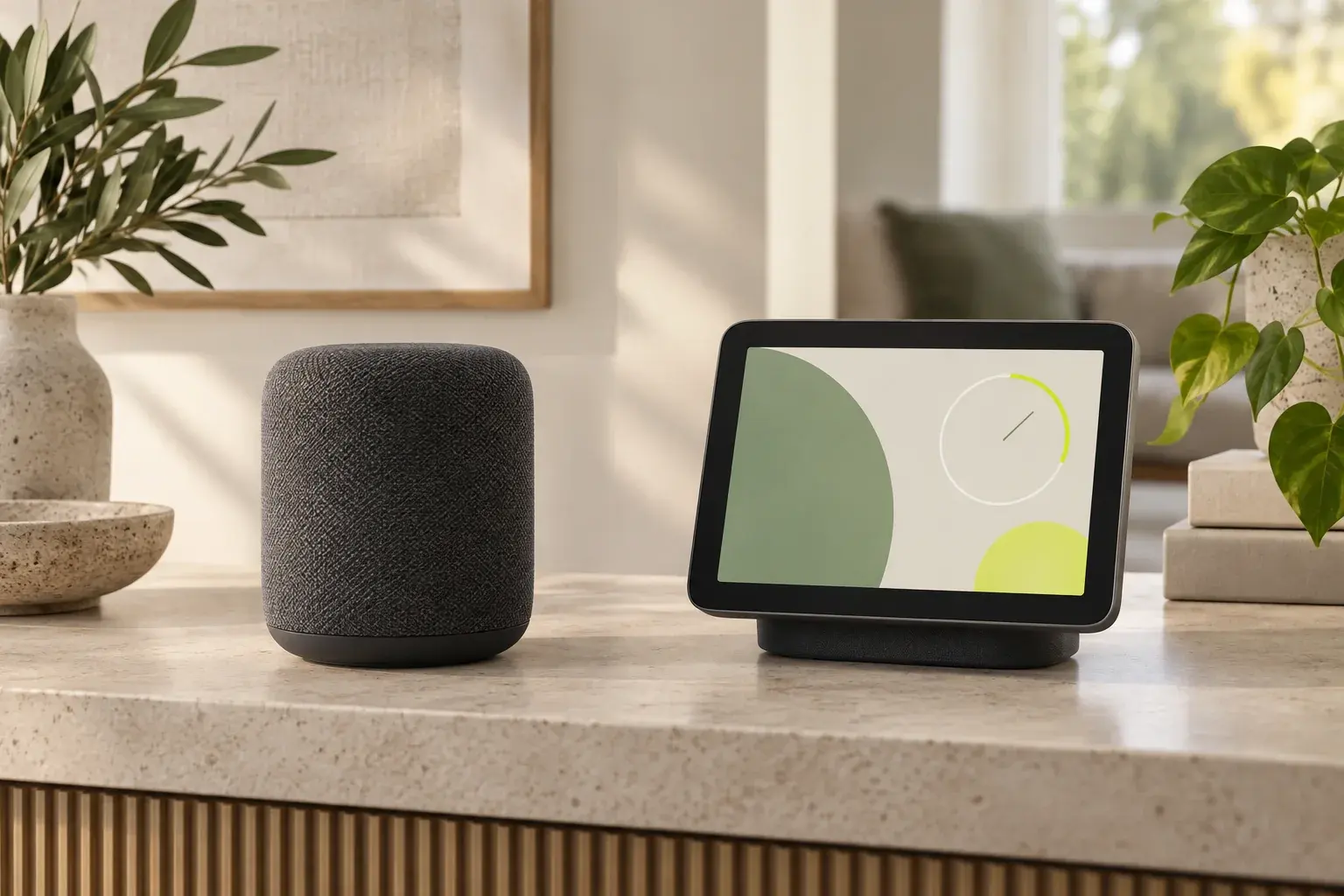
A smart speaker can announce that a timer has ended. A smart display can leave the countdown where everyone in the kitchen can see it. That difference sounds small until the room is noisy, two people are cooking, and no one remembers which timer belongs to which pan. In a bedroom, the same visible screen may be exactly what you would rather leave out.
We checked current Google and Amazon device descriptions and support pages for this guide. The comparison is based on documented features and everyday tasks. We have not measured audio performance or tested the devices at home. The Google Home Speaker and Nest Hub listing on AI Vitamin gives us a speaker and a display in one product family. Our Amazon Echo listing covers audio-first Echo models; Amazon's Echo Show range provides the screen-equipped counterpart.
Start with the room, then the device
Both formats can answer questions, play audio, run timers and control compatible smart-home devices. A display adds a place to see information and touch controls. Whether that matters depends on what you do in the room.
| Room or task | A speaker is enough when | A display earns its space when |
|---|---|---|
| Kitchen | You mainly play music and set voice timers. | You want a visible countdown, video or on-screen information while your hands are busy. |
| Living room | Music and spoken smart-home commands are the main jobs. | You regularly want to see camera feeds, photos or controls without finding your phone. |
| Bedside | You want an alarm and spoken answers without another visible screen. | You will use a visible clock or a model-specific wake-up feature and accept a screen beside the bed. |
| Entryway | A spoken doorbell announcement is sufficient. | Seeing a compatible doorbell or camera feed at a glance changes what you do next. |
| Family calls | Audio calls meet your needs. | You need to see the caller, and you have checked whether that exact display can send video back. |
The table locates the main decision. Support for video services, cameras and home devices still depends on the exact model and the services already used in your household.
Music and timers work on both
For music-first rooms, look at the speaker itself rather than assuming a screen improves the sound. Google's 2026 Home Speaker has a 360-degree audio design, according to its published specifications. Amazon positions Echo Dot Max and Echo Studio as speakers built around audio, with different sizes and speaker systems in its Echo device announcement. These descriptions tell you what the makers designed for. They do not establish which sounds better in your room.
A display still plays music. Google's Nest Hub (2nd gen) can play songs and video, and it has an on-screen way to control compatible devices. If you would frequently look across the kitchen to check a timer, a calendar or a doorbell feed, that visual access may be more useful than putting another audio-focused speaker there. If you will rarely look at the screen, the speaker keeps the task simple and leaves more of the counter free.
Voice timers are useful on either format. The display helps when a countdown needs to remain visible or another person needs to check it without speaking. That repeated glance makes the screen useful.
A screen helps only if the right information can reach it
Google shows the Nest Hub displaying a compatible camera or doorbell feed and providing touch controls for the home. Amazon describes Echo Show screens showing smart-home information, photos and video alongside Alexa responses. A speaker can announce an event or take a voice command; it has no built-in surface for showing a live feed. Your phone may already cover that job, especially if you only check the door once in a while.
Before buying a display for home control, name the exact camera, doorbell, calendar and media service you want to use. Check the maker's current compatibility instructions for those products, your country and your account. A Matter logo or the word “hub” does not promise that every app screen, camera feed or automation will appear on every display. The same caution applies to a speaker's ability to control a particular accessory by voice.
Where the device sits also changes its value. Give a display a clear sightline from the place where people will use it. Both formats need power and a network connection for their connected features, so consider the outlet and Wi-Fi coverage before choosing a place.
Check the camera before planning video calls
A screen does not tell you whether the device has a camera. Google's Nest Hub (2nd gen) has none. Google's calling instructions say it can receive video in a supported call but cannot send video of you. A Nest Hub Max has a camera, as does Amazon's Echo Show 8. An audio-only Echo or Google speaker can handle supported voice calls, though it cannot show the person speaking.
If seeing each other is the reason for buying a display, check its camera and calling service. The other person's device or app and regional availability matter too. A display without a camera may still be a good kitchen screen. It solves a different calling problem from a camera-equipped one.
Think about the people who share the room
Any screen can show information to someone walking past it. A calendar, photo, doorbell feed or notification may be convenient for the owner and visible to a guest. Decide which content should appear in a shared room before placing the device there. A screen-free speaker avoids that particular visibility issue, though it still has microphones and account-linked services.
Camera presence varies within the display category. The Nest Hub (2nd gen) uses gestures without a camera, according to Google's product page. A camera-equipped Echo Show adds calling and other camera-based options, with controls that depend on the generation. Amazon's Echo Show 8 setup guide identifies its microphone and camera control button. Google's Home Speaker specifications list a hardware microphone mute switch. Check household access and account settings alongside these physical controls.
This article is about which device belongs in a room. The detailed steps for reviewing voice history, household permissions and deletion settings deserve their own guide. For now, make sure everyone who shares the room knows what the device can show or capture, and check the maker's current privacy controls during setup.
Choose a format, then a model
Choose a smart speaker for a room where audio, timers and voice control will do most of the work. Choose a smart display where someone will regularly use its visible information, touch controls or a compatible camera feed. For two-way video calls, narrow the choice again to a camera-equipped model and confirm the calling service.
Our Amazon Echo (Alexa+) product page lists current audio-first Echo options. The Google Home Speaker / Nest Hub page lets you compare the Google speaker with the screen-equipped Nest Hub (2nd gen). You can also browse the smart-home category if you are choosing a device for an existing setup. Product families change; confirm the precise generation, local availability and any optional subscription before ordering.
Quick questions
Is a smart display worth it just for kitchen timers?
It can be if someone will actually check the countdown from across the room or use the screen for other tasks. If voice timers already work well and the counter is crowded, a speaker covers the basic job.
Can the Nest Hub (2nd gen) make video calls?
Google says it can receive video in supported calls but cannot send video because it has no camera. Choose a camera-equipped display if the other person needs to see you.
Can an Echo speaker show my doorbell camera?
An audio-only Echo has no screen for a live image. A compatible Echo Show can show camera information; check your doorbell model and account setup. Your phone may already be sufficient if this is an occasional task.
Does a smart display replace a smart speaker?
For voice help, timers and music, a display can serve many of the same daily tasks. Speaker quality and supported services vary by model. The deciding question is whether you will use the screen often enough to give it a visible place in the room.