
Translation Earbuds vs a Handheld Translator for Real Conversations
Compare translation earbuds and a handheld translator by conversation flow, photo translation, noise, phone requirements and travel connectivity.
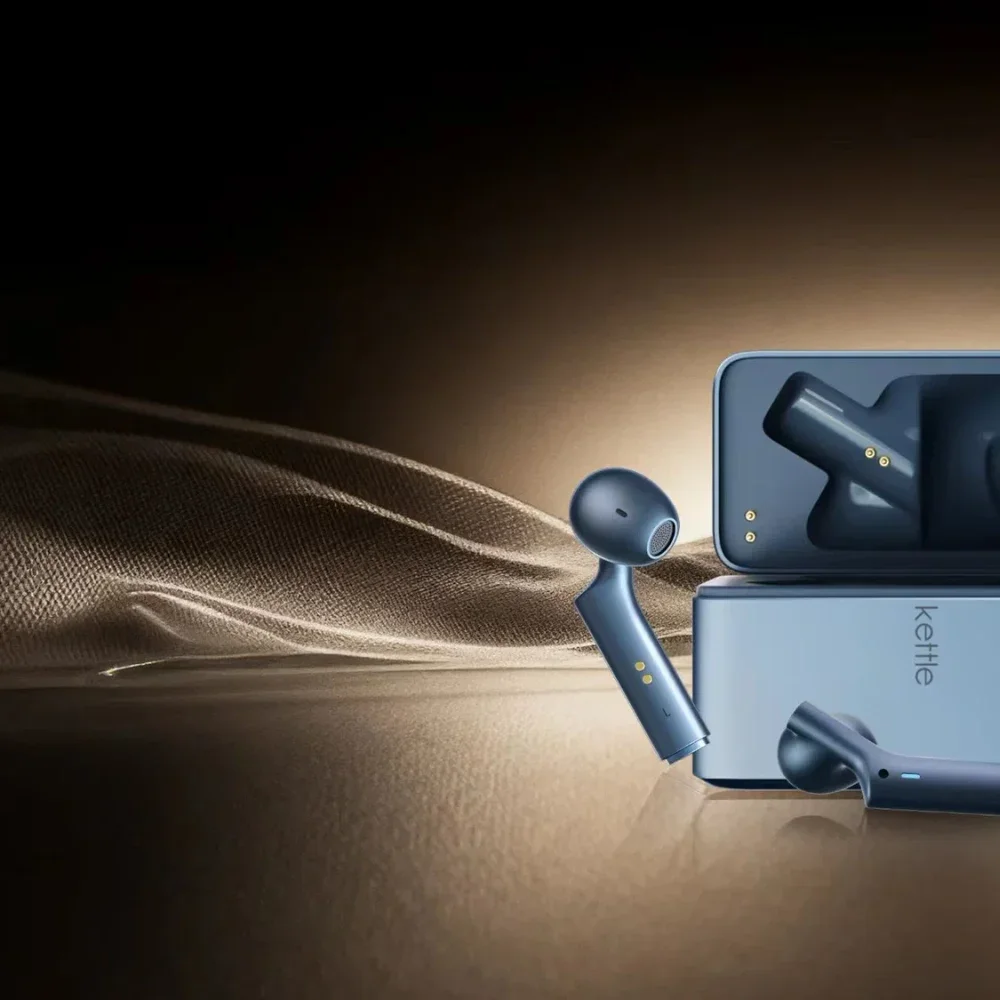
The first question is whether the person across from you will put in an earbud. If the answer is yes, a pair of translation earbuds can keep a long conversation moving without a device changing hands after every sentence. If you are asking a stranger for directions or reading a menu on your own, a translator with a screen and speaker may be easier to use.
The Timekettle W4 and Vasco Translator V4 show how those two workflows differ. This comparison uses the manufacturers' current instructions; it is not a head-to-head test of translation speed or accuracy. It covers the original W4. The W4 Pro and W4 Plus have different features.
The conversation starts differently
Timekettle's One-on-One mode asks both people to wear an earbud. The W4 connects to a phone running the Timekettle app, where the wearer selects the languages and starts the mode. Each person then speaks and hears the translation through their own earbud. For two people who expect to talk for a while, the advantage is simple. Neither has to keep reaching for a shared screen or holding a button whenever it is their turn.
That arrangement depends on the other person's willingness to wear an earbud. It is a reasonable question to ask before buying for hotel check-ins, shop counters or other brief encounters. Timekettle provides a second route called Listen & Play. In that mode, the wearer can hear translated speech through the earbud and choose to play a translation through the phone speaker for someone else. The other person need not wear the spare earbud, though the phone becomes part of the exchange.
Vasco's voice workflow keeps the controls on the V4 itself. Choose the languages, press and hold its microphone button, speak, then release it. The device shows the translation on its screen and can read it aloud when pronunciation is supported for that language. The other speaker takes a turn in the same visible way. You can hold the device toward them or pass it across the table when that is more practical. This requires a deliberate pause, and it gives both people a chance to look at the words before replying.
Two people for an hour or several people for a minute
For a recurring conversation with one person, the W4's shared-earbud mode removes repeated handoffs. A friend, colleague or family member may be comfortable putting in one earbud and keeping it there. The phone still has to stay available because Timekettle says the W4's translation modes run through its app. A charged earbud case alone is not a complete setup.
For a succession of short interactions with different people, the V4's screen and speaker avoid asking each new person to wear something. The holder controls when speech is captured. The spoken result can be heard by more than one nearby person, while the displayed text is useful when a name or number needs checking. The tradeoff is the repeated button press and the need to position the device where it can hear each speaker.
The boundary between these formats is not absolute. Vasco sells E1 translation earbuds that can work with the V4. A buyer can start with the handheld's default voice and photo tools, then add an earbud conversation option. That accessory is a separate purchase and workflow, so check the bundle before assuming it is included with the V4.
Reading a sign changes the choice
Speech is only part of a solo trip. Vasco's V4 includes a camera and Photo Translator. You open that feature, choose a target language and photograph a sign, menu or other printed text. The translation appears on the V4's five-inch screen. It also has a text translator for material you want to type in. These controls are on the same device you use for spoken exchanges.
The W4 earbuds do not add a camera to that process. You can still use a separate translation app on your phone for text or photos, but that is another action on the phone rather than a feature of the earbuds themselves. If reading signs is as common as talking to people, decide whether you want those tasks on a single handheld device or are content to use your phone for the visual half.
A phone and a connection are separate questions
Timekettle says the W4 requires its phone app. Its current FAQ lists Android 10 or later and iOS 14 or later. Even with one earbud in each person's ear, the phone remains the device that starts the translation session. The W4 supports offline translation for One-on-One and Listen & Play in a smaller set of language pairs, but that does not remove the phone requirement. Check the exact pair and download steps before traveling without service.
Vasco's V4 has its own controls and a built-in SIM for translation connectivity. Vasco advertises coverage in nearly 200 countries, so the buyer does not need to supply a separate phone data plan for translation where that service works. This is still online translation. A place with no usable network is a different problem from a place where your phone plan does not include roaming. The V4's coverage map and your destination matter more than the word "lifetime" on a product page.
The detailed question of which language pairs work without a connection deserves its own check of current packs and supported modes. For this choice, the distinction is straightforward. The W4 needs a compatible phone even when an offline mode is available; the V4 carries its own connection but still needs network coverage for translation.
What about a noisy place?
Timekettle describes the W4 as using microphones and a bone-voiceprint sensor to pick up the wearer's speech amid other sound. The sensor is meant to help with the voice of the person wearing the earbud; the other speaker still needs to be heard. Vasco advertises microphone noise reduction for the V4 and has a screen as well as a speaker for the result. Those are descriptions of the hardware and the makers' claims. They do not establish which device will capture a soft voice more reliably in a particular station or restaurant.
Before relying on either device in noise, test the complete exchange with the language pair you actually need. Can the microphone hear the other speaker? Can that person hear the translated reply, or would reading it be easier? Does the screen or the phone app let you catch a wrong name before you act on it? A loud speaker does little if the first sentence was captured incorrectly.
Choose the workflow you will actually use
Choose the W4 when the same two people will talk for sustained periods, both are happy to wear an earbud, and you can keep a compatible phone available. Its Listen & Play mode gives you a phone-speaker option when sharing an earbud would be awkward.
Choose the V4 when you expect brief exchanges with changing conversation partners, want a visible text result, or regularly need to photograph written information. Its built-in SIM can spare your phone's roaming plan in covered places. If you also want an earbud mode, check the separate E1 accessory and the total bundle cost.
Start with the interaction, then verify your language pair, destination coverage, return terms and the exact model before buying. Neither form factor guarantees that every sentence will be right. For more devices in this area, browse translation and wearable-assistant listings.