
Video Doorbells Without a Subscription and What You Can Keep
See what a video doorbell without a subscription can save. Compare Ring and Blink live view, local storage, trial limits, alerts and three-year costs.
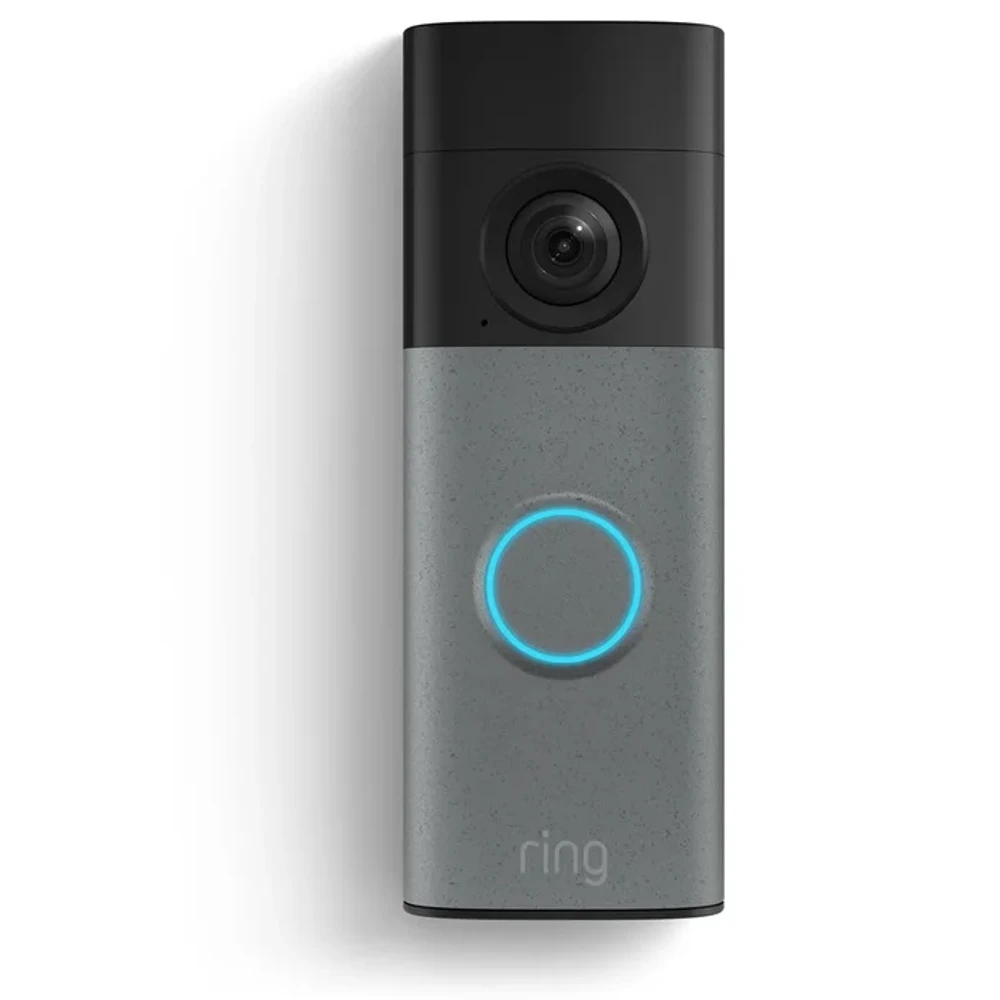
A video doorbell without a subscription can still show you who is at the door. Whether it keeps a recording for later depends on the exact device and storage setup. Ring offers live viewing without a plan. Blink can save event clips without a monthly fee when a compatible storage module and drive are connected.
We checked the manufacturers' US product and support pages on October 8, 2026. This is a guide to documented features. We have not tested these doorbells. The Ring example is Battery Doorbell 2K (2nd Gen), a 2026 model. The Blink example is Video Doorbell (2nd Gen), paired with the module named in each comparison. Newer Blink 2K+ models need their own checks.
Our Ring Video Doorbell product listing is a family overview with manufacturer links. The Ring family photograph above is illustrative; check the complete model name before using the feature table.
Separate Live View, Recording, and Playback
Live view helps while a visitor is still at the door. To see who came earlier, the doorbell must have saved a recording. You then need a way to play it back and, if you want to keep a separate copy, export it. An app can offer the first action while charging for the rest.
For Ring, the subscription support guide confirms that live video and responding to alerts remain available without a plan. Reviewing recordings requires a subscription. An event entry in the timeline does not guarantee that there is a video you can play. Paying later only records future events; it cannot recover the earlier unrecorded activity.
Blink offers a local-storage route for its Video Doorbell (2nd Gen). Its model-specific FAQ supports Sync Module 2 with USB storage or Sync Module XR with a microSD card. Sync Module Core has no local storage or clip backup. A bundle containing Core needs a different compatible module if you want to keep recordings without a plan.
Features After the Trial, With No Active Plan
These results apply after the trial ends, with the doorbell online and recording settings enabled. The Blink examples assume an account created after April 15, 2020; older accounts have separate storage allowances. Checked October 8, 2026.
| Exact configuration | Live view | Recording saved | Playback | Person detection | Notification preview | Required storage accessories |
|---|---|---|---|---|---|---|
| Ring Battery Doorbell 2K (2nd Gen), no plan | Yes, with two-way talk | No new recordings | No new saved clips to replay or export | Person and package alerts require a compatible plan | Video Preview Alerts require a compatible plan; basic alerts remain | None for live view; this model is not a no-fee local-recording setup |
| Blink Video Doorbell (2nd Gen) with Sync Module Core, no plan | Yes | No local clips | No new local clips to replay | Requires a subscription or trial | Standard motion alerts remain; image/video preview entitlement awaits manufacturer confirmation | Core cannot save locally; replace it with a supported storage module |
| Blink Video Doorbell (2nd Gen) with Sync Module 2 and USB drive, no plan | Yes | Motion-event clips saved locally | Local clips viewable in the Blink app; files accessible on the drive | Requires a subscription or trial | Standard motion alerts remain; image/video preview entitlement awaits manufacturer confirmation | Sync Module 2 and a recognized, compatible USB flash drive |
The Ring Battery Doorbell 2K page identifies this as the second generation. It also explains that Battery Doorbell (2nd Gen) and Battery Doorbell 2K are names for the same model. Avoid applying its specifications to an older Battery Doorbell or the separate Plus and Pro versions.
An Alert Can Arrive Without a Saved Clip
Person detection classifies the motion that triggered an alert. Familiar-face recognition attempts to identify someone you have enrolled. These are separate features, with separate eligibility checks. Blink's second-generation doorbell requires a plan or trial for Person Detection. Ring's advanced recognition features also depend on a compatible plan, device and region.
Ring's Video Preview Alerts documentation describes animated notification previews as a subscription feature. It also says those previews are not stored in the Ring app. A preview on your phone is therefore a poor way to keep a recording you might need later.
Check What Happens When a Trial Ends
Ring currently offers an eligible 30-day trial when you set up a device, unless a plan already covers that location. Blink's current subscription FAQ calls its eligible US trial plus ai, or plus in Illinois. The doorbell FAQ still calls it Plus. Both describe a 30-day trial; check the actual plan and end date in your account. Existing coverage and retailer promotions can affect eligibility or duration.
Download any Ring clips you want to keep before coverage expires. Ring's US plan FAQ warns that stored recordings become unavailable and cannot be retrieved if a trial or subscription lapses. Afterward, live viewing remains useful, but it will not show a visitor who has already left.
With Blink, establish which storage mode you are looking at. During a subscription or trial, a compatible drive can receive a backup of cloud clips once every 24 hours. Blink says these Clip Backups are viewed on a computer. Without a plan, supported Local Storage saves event clips to the drive and lets you view them in the app. The two modes have different viewing routes.
Blink's Local Storage instructions explain how to check the connected media. Follow the app's safe-eject procedure before removing a USB drive to copy files to a computer. Open a copied file to confirm that you have a playable export. Blink's plan comparison lists Live View recording as a paid feature. For the non-legacy account in this guide, the no-plan local setup saves triggered event clips, with manually opened live sessions left unsaved.
Run the recording check again after your account shows that the trial has ended. During free coverage, the cloud plan may still be doing the saving.
| When to check | Action | Result to keep | Your date |
|---|---|---|---|
| Before coverage expires | Export an existing clip and play the copy outside the app | Playable file and storage location | __________ |
| First day with no active trial or plan | Trigger a permitted test event, then check whether a new clip was saved | New clip with time and storage source, or no recording | __________ |
| After that new event | Close the app, reopen it and replay the clip | Playback result; distinguish an event entry from video | __________ |
| Same day | Compare ordinary motion alerts with person alerts and previews | Features that actually remain on your phone | __________ |
These checks answer the subscription question while the doorbell remains online. Cancelling a plan and losing the internet connection are separate situations. Local storage can still involve an account, an app and cloud services.
Price the Storage Hardware and Optional Plans
A doorbell with local storage and no monthly fee can still need extra hardware. Price the doorbell and storage module separately, then add the recording media. Check the bundle contents too. Blink's Core module connects devices but cannot save clips, so a bundle containing it leaves you with another purchase if you want local recording.
Ring's current US plans are named Solo, Multi and Pro. Older references to Basic, Standard or Premium should be checked against the plan offered to your account. Solo covers one device; Multi covers devices at one location. Advanced features and add-ons have further conditions.
The following US amounts were displayed on October 8, 2026. They exclude tax, delivery, installation and optional accessories. The totals are arithmetic examples based on the checked prices, assuming those prices stay unchanged for three years.
| Ring setup | Doorbell price | Recording plan | Three-year plan cost | Three-year hardware plus plan |
|---|---|---|---|---|
| Battery Doorbell 2K (2nd Gen), live viewing only | $99.99 | None | $0 | $99.99 |
| Same doorbell, annual Solo | $99.99 | $49.99/year | $149.97 | $249.96 |
| Same doorbell, monthly Solo | $99.99 | $4.99/month | $179.64 | $279.63 |
The first row buys no stored video history. For multiple devices, compare the coverage as well as the bill. At the checked rates, three annual Solo plans total $149.97 per year, while annual Multi costs $99.99 for one location. Verify that the devices and features you need are covered before using that comparison.
Replace these amounts with your own quote. Count a shared hub once, and add the annual charges for the plans you would actually keep.
Upfront cost = total doorbell prices + required hub prices + recording media + installation
Three-year cost = upfront cost + 3 × total annual plan charges + expected replacement costs
For Blink local storage, fill in the current price of your selected doorbell, Sync Module 2 or XR, and compatible media. We have not established a current US price for that complete combination, so its hardware total needs manufacturer confirmation. A zero recording-plan charge still leaves the storage hardware to buy.
Local Storage Has Its Own Limits
Blink's storage guide says local clips remain until you delete them or the drive fills. When full, recording stops until you free space. There is no fixed number of retention days to promise from capacity alone. Event frequency and clip length change how quickly the drive fills.
Ring Edge is another reason to inspect the conditions behind the words “local storage.” Its Alarm Pro storage guide requires Alarm Pro, a microSD card and an eligible subscription. It supports 1080p recording and excludes 2K/4K devices. It does not provide a subscription-free recording route for the Battery Doorbell 2K discussed here.
Use a Feature Checklist Before Choosing
If you only want to answer a visitor while they are there, Ring's unpaid live view and two-way talk may meet your needs. To review activity after coming home, you need recordings that survive the end of the trial. Blink's second-generation doorbell with compatible local-storage hardware provides one documented option, with paid Person Detection remaining a separate decision.
Before ordering or cancelling coverage, check the video doorbell subscription features that matter to you.
- What gets saved? Confirm event recording and whether manually opened live views can be saved under the unpaid setup. Do not assume one implies the other.
- How will I retrieve it? Confirm app playback, access away from home and a usable export route. Ask what happens if the doorbell or storage hub is damaged or missing.
- Which notifications remain? Separate ordinary motion alerts from person classification, familiar faces and image or video previews. Confirm your model, app version and country.
- What must I buy and maintain? Name the module and media. Check storage-full behavior and who will copy important clips before they are deleted or overwritten.
Keep the seller's answers with the full model name and your trial-end date. Compare them with our Ring device record and the broader smart home and security directory. Leave an unanswered feature marked as awaiting manufacturer confirmation until you have a model-specific answer.
Sources and Editorial Note
Key sources include Ring's subscription guide, US plans and prices, Battery Doorbell 2K specifications, Blink's second-generation doorbell FAQ, Sync Module Core FAQ and Blink's storage options. Additional feature-specific sources are linked beside the relevant claims. Reviewed October 8, 2026, using manufacturer documents. Prices and included features can change.