
How to Delete Data Before Selling an AI Device
Prepare Ray-Ban Meta and PLAUD Note for resale. Save an archive, release account binding, handle cloud copies and check the buyer can activate the device.
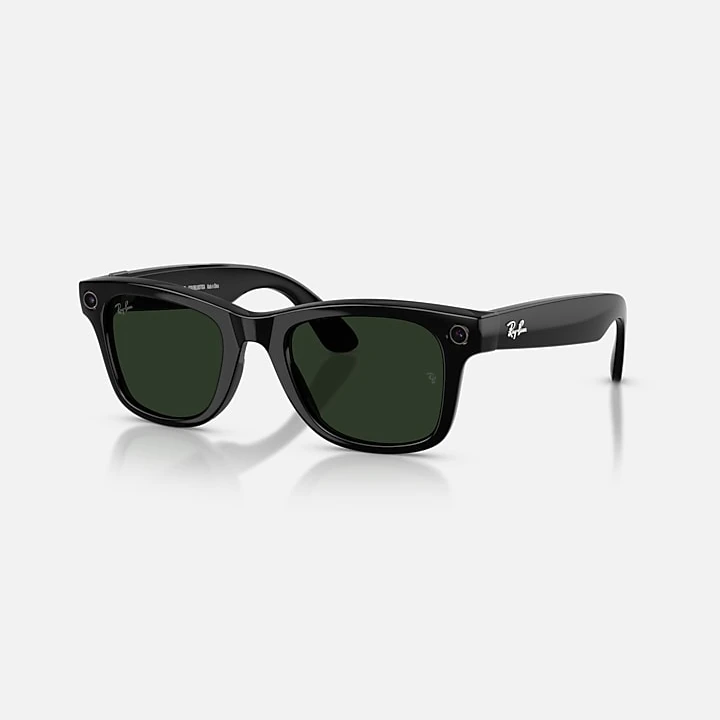
To delete data before selling an AI device, first save the files you want to keep and check how its manufacturer releases the hardware from your account. A factory reset can remove recordings from the device while leaving copies in your app, phone or cloud account. The buyer also needs to activate it under their own login.
We checked Ray-Ban, Meta and PLAUD support documentation on October 1, 2026. This guide follows their published procedures for Ray-Ban Meta (Gen 2) and PLAUD Note. App menus can change, so keep the linked official instructions open while you work.
Decide where your files should end up
Make a short inventory before touching an erase button. Include captures still on the hardware, files imported into the companion app, and anything you saved to a computer or cloud service. Decide which copies you want to keep.
The actions have different jobs.
| Action | What to check |
|---|---|
| Export or import | Your chosen files open outside the hardware you are selling. |
| Unpair or unbind | The device is released from the old phone or account. Check whether that action also erases data for this model. |
| Delete account files | Unwanted app or cloud copies are removed through that service's controls. |
| Reset or erase the hardware | The manufacturer's documented transfer procedure is complete. |
| Buyer activation | The buyer can connect with their own account. |
The FTC's advice for transferring connected home devices recommends removing personal information and administrative access, then restoring factory settings. The wearable steps below come from each maker's current support pages.
Save an archive before you erase anything
For Ray-Ban Meta, import the photos and videos you want to keep through the Meta AI app. Use its download control, then save your chosen captures to your phone's camera roll. Ray-Ban's FAQ tells owners to import captures before resetting. Check that important videos play from the saved location before continuing.
For PLAUD Note, first transfer outstanding recordings to the PLAUD app. Export the audio and any transcript or summary you need as separate files. On PLAUD Web, open a recording, select the Share control, choose the content and format, then export. Its export guide documents MP3 audio on the web and WAV export in the mobile app. Open the downloads on your computer and check the text as well as the sound.
Factory reset smart glasses before resale
Ray-Ban Meta (Gen 2) needs a factory reset before another person can pair it to their Meta account. Ray-Ban says the reset erases captures on the glasses and removes the account association. An ordinary restart leaves captures and pairing intact.
Meta's factory reset guide has separate instructions for different models. Under the Ray-Ban Meta and Oakley Meta section, the current procedure is to do the following.
- Take the charged glasses out of their case and turn them on.
- Fold both arms closed.
- Press the capture button five times and look for an orange LED.
- Hold the capture button, then release it when the LED flashes.
Complete Meta's unpairing procedure in the app too. Open Glasses and select the correct device. In Device settings, choose your glasses, open General, then select Unpair glasses and confirm Unpair. Meta says you may also need to forget the glasses in your phone's Bluetooth settings.
Unpairing alone does not erase settings. Resetting the charging case is a separate troubleshooting operation, so use the instructions for the glasses themselves when preparing a sale.
Unbind PLAUD Note from your account
PLAUD's unbinding guide says removing the device permanently deletes recordings that have not yet synced to the app. Recordings already synced to your account remain accessible. Finish your transfer and archive checks first.
In the PLAUD app, tap the device icon at the top left and select your Note. If it is connected, choose Disconnect or remove device, then confirm Erase & remove. For a disconnected device, the menu says Remove device before the same confirmation.
PLAUD documents unbinding even when the device is not nearby. For an in-person handover, keeping the recorder charged and available lets you check the buyer's setup before parting with it. Use the documented Erase & remove flow to release the account binding.
Handle cloud copies separately
Selling the hardware can leave you with an archive in your original account. PLAUD explicitly says unbinding does not transfer recordings to the new owner. Choose separately whether you want to retain or delete your account files.
For a personal PLAUD account, Private Cloud Sync is managed under Explore in the mobile app. Turning sync off only stops future uploads. Previously uploaded recordings stay in the cloud until you delete them. PLAUD also documents a cloud-removal option that keeps a local copy, so check which location you are clearing. Team workspaces have different sync rules.
PLAUD's file deletion guide explains that the first Delete action moves a recording to Trash. To remove it permanently, open Trash from the down-arrow menu on the Files page, select the file and delete it there. Do this only after checking any archive you intend to keep.
For Meta glasses, review imported media and saved phone copies separately from the glasses reset. Meta's privacy information also describes controls for voice recordings and information shared with Meta AI. If you want to remove that history, use the relevant account controls. A glasses reset should not be treated as confirmation that those separate copies or interactions have been deleted.
Check the buyer's activation before handover
Ask the buyer to use their own phone and account. Keep your password and verification codes private.
For Ray-Ban Meta, the buyer needs the Meta AI app and a compatible phone. Meta's pairing guide explains how the glasses enter pairing mode in their case. Have the buyer confirm that setup succeeds with their login.
For PLAUD Note, PLAUD's second-hand device guidance recommends confirming unbinding and successful binding to the buyer's account before payment. If the device still reports another account, the previous owner needs to resolve the binding. PLAUD requires the original owner's authorization for a remote unbind of a second-hand device.
Include the agreed charging accessories and direct the buyer to the official setup instructions. The FTC also recommends that new owners review privacy settings, update connected devices and check whether warranty coverage transfers.
Official sources
- FTC advice on transferring connected devices
- Ray-Ban Meta FAQ
- Meta factory reset instructions
- Meta pairing and unpairing instructions
- PLAUD unbinding and device erasure
- PLAUD export instructions
- PLAUD cloud storage controls
- PLAUD deletion and Trash
- PLAUD second-hand account binding
- Meta glasses privacy controls